Common Controller Card Failures in LED Processors
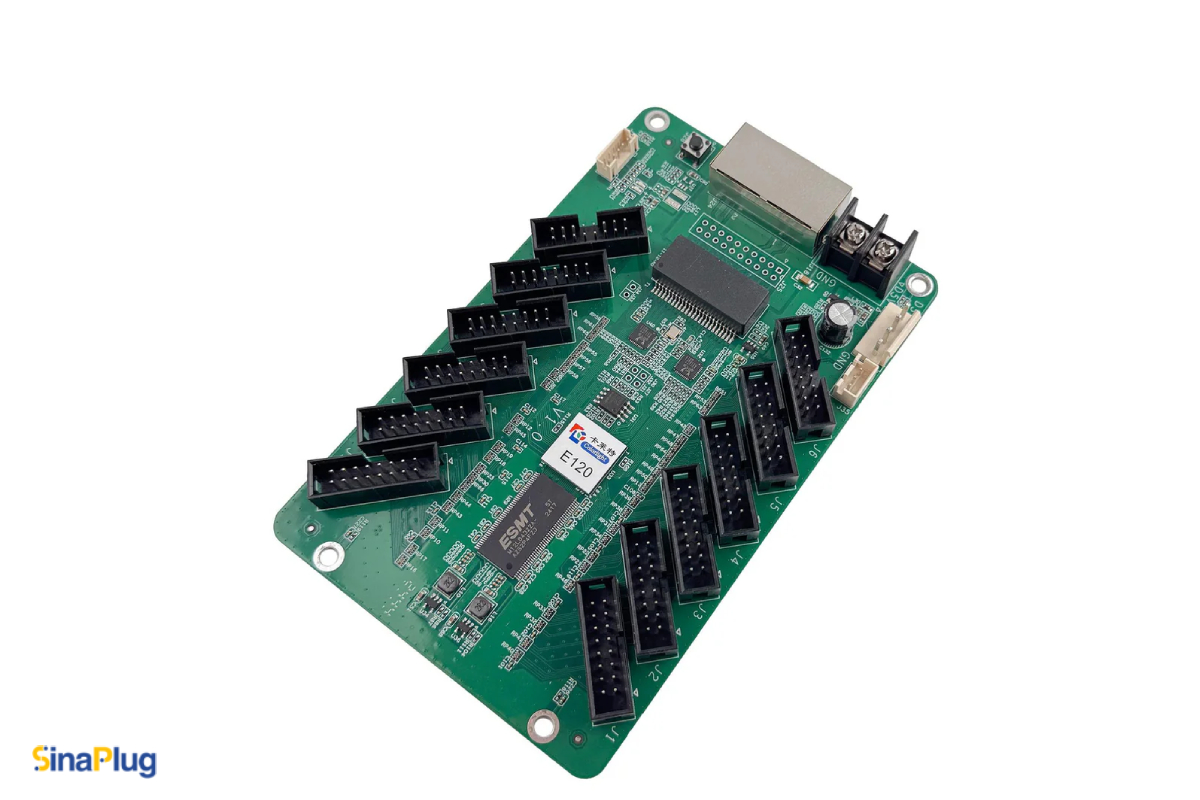
When an LED wall suddenly goes dark, glitches, or freezes mid‑show, the first suspect is usually the processor. Common Controller Card Failures in LED Processors may result in things quietly going wrong long before a full blackout.
Controller cards, these small, overworked boards sit between your video source and the LED cabinets, handling signal distribution, loading configuration files, and keeping the whole system in sync.
When they fail, you feel it immediately on stage, on a building facade, or in a control room with a client standing right behind you.
In this blog, we’ll walk you through the most common controller card failures in LED processors, what they look like in the real world, and how to keep a small problem from turning into a full system shutdown.
Power and Voltage Issues Affecting Controller Cards
Controller cards are picky about power, even when the processor itself seems fine. A card that is under‑volted, intermittently powered, or fed with noisy current can behave in ways that look software related but are purely electrical.
Typical symptoms include:
- Random reboots of the processor or card
- Status LEDs flickering or not following normal patterns
- Cards that work on the bench but fail inside the rack
In many cases, a failing internal power supply or a tired DC rail is the root cause, not the card itself.
Using high-quality 5V supplies with sufficient current headroom and checking connectors for heat discoloration or looseness can prevent many mysterious failures. SinaPlug’s Processors catalog puts a strong emphasis on reliable, tested PSU models for exactly this reason. Reliable power design plays a major role in preventing Controller Card Failures in LED Processors.
Overheating and Thermal Stress in LED Processor Controller Cards
Controller cards spend their life inside warm processors, often in racks with poor airflow and dust filters that haven’t been cleaned since installation. Over time, heat cycles fatigue solder joints and stress components like regulators, memory, and FPGAs.
Watch for:
- Processors that run fine when cold but become unstable after 20–30 minutes
- Cards that fail only in tightly packed racks, but work when tested on a bench
- Fans ramping up unusually high, or dust buildup on vents and heatsinks
Even if the card hasn’t completely failed, long-term exposure to high temperatures can shorten its lifespan. Simple maintenance like keeping vents clear, ensuring fans are functional, and leaving space around processors in the rack can dramatically reduce heat‑related failures.
Damaged or Loose Signal Ports in Controller Cards
Controller cards are the traffic cops for your LED wall’s data, often with multiple Ethernet, DVI, HDMI, or proprietary ports exposed on the front or rear of the processor. These ports see a lot of plugging and unplugging, sometimes under pressure during live events.
Common port‑related issues can be:
- Individual output ports that no longer drive certain LED cabinets
- Intermittent flicker or “snow” when cables are touched
- Ports that physically feel loose, wobbly, or fail if a cable is moved slightly
Repeated stress on connectors can crack solder joints or damage traces, especially if heavy cables hang unsupported. If one output consistently misbehaves, swap cables and ports to isolate whether you’re dealing with a bad cable or a failing controller port. When a port is gone, replacement is usually faster and more reliable than attempted board‑level repair in the field.
Corrupted Configuration and Firmware in LED Processor Controller Cards
Not every failure is because of a burned‑out component. Sometimes the controller card is perfectly healthy, but its configuration is not.
In this situation, you might see:
- LED wall mapping that suddenly looks wrong after an update
- Processor boots, but no content is output, despite valid input
- Profiles that used to work but now cause freezes or glitches
Firmware updates, rushed configuration changes, or incomplete profile uploads can leave the card in an unstable state. Keeping a configuration backup for each site and documenting firmware versions used in production turns these events from disasters into minor annoyances. In critical environments, many technicians keep a preconfigured spare controller on hand that can be swapped in minutes.
Communication Failures Downstream
Controller cards also act as the command bridge to receiving cards and cabinets. When that communication breaks down, the video wall starts sending its own distress signals.
Signs of downstream communication problems:
- Entire columns or rows of cabinets dropping offline
- Random blocks of the wall stuck on a previous frame
- Status LEDs on receiving cards indicate “no signal” even though the processor is on
The root cause can be:
- A failing controller output
- Damaged data cables between the processor and the first cabinet
- An overloaded output port driving too many pixels
Before blaming the controller card, it’s worth checking load calculations, cable health, and cabinet‑to‑cabinet connections.
If the problem follows a specific output regardless of cabling, that output on the card is likely failing. Many recurring communication issues are early warning signs of Controller Card Failures in LED Processors.
Physical Wear, Shipping, and Handling Damage
In rental and touring environments, processors live a rough life: they’re racked, unracked, shipped, and repatched across multiple venues. Controller cards inside those processors can suffer:
- Hairline cracks from vibration or shock
- Partially seated cards after shipping
- Electrostatic discharge (ESD) damage during rushed service
One of the most important points in fixing Controller Card Failures in LED Processors is to always power down and discharge equipment before handling internal cards, and avoid resting processors on their connectors or panels. A quick visual inspection, such as looking for bent pins, cracked PCBs, or misaligned cards, often reveals hardware that will become intermittent later if left unaddressed.
When to Repair and When to Replace Your Controller Card
When dealing with Controller Card Failures in LED Processors, the real question isn’t just “what failed?” but “what’s the fastest, safest way back to normal?”
Replace the controller card when:
- The processor is mission‑critical (broadcast, live event, 24/7 signage)
- The card shows repeat failures after temporary fixes
- Ports or power rails are clearly damaged
Consider repair or deeper investigation when:
- The processor is older, and replacement parts are hard to find
- The failure appears clearly tied to external causes (bad power, bad cabling)
- You have time to test on the bench and verify stability
Suppliers like SinaPlug specialize in stocking genuine, tested parts, from processors to receiving cards and power supplies, so technicians can swap suspect hardware quickly instead of fighting a periodic failure onsite. Feel free to check our collection of spare parts.
Symptoms & Causes of Controller Card Failures in LED Processors
For a quick review of issues and the actions that need to be taken, check the table below.
| Symptom on LED Wall or Processor | Likely Area to Check First | Typical Next Action |
| Random reboots or flicker after warm‑up | Power to controller card, internal PSU, ventilation | Measure voltages, inspect PSU and fans, consider PSU or card replacement |
| Only one output chain is unstable | Specific controller output port, cable strain, connectors | Swap cables/ports, inspect connectors, replace card if fault follows port |
| Wall mapping suddenly wrong after changes | Controller configuration, firmware versions, profiles | Reload config, roll back firmware, keep version notes per site |
| Whole columns/rows go offline | Downstream data chain, load per output, first cabinet in chain | Check load calculations, inspect cables, isolate output, test with spare card |
| Works on bench but fails in rack | Heat buildup, vibration, card seating, rack airflow | Improve cooling, re‑seat cards, secure cabling, monitor under real load |
Using this kind of structured checklist keeps troubleshooting calm and repeatable, even when the pressure is high.
When thinking about a professional repair center with certified technicians, you can also contact your local experts at AzarPixel, and ask for a free consultation from the number one repair center in the US.
Contact AzarPixel today and bring your controller card back to life in no time.
Related posts